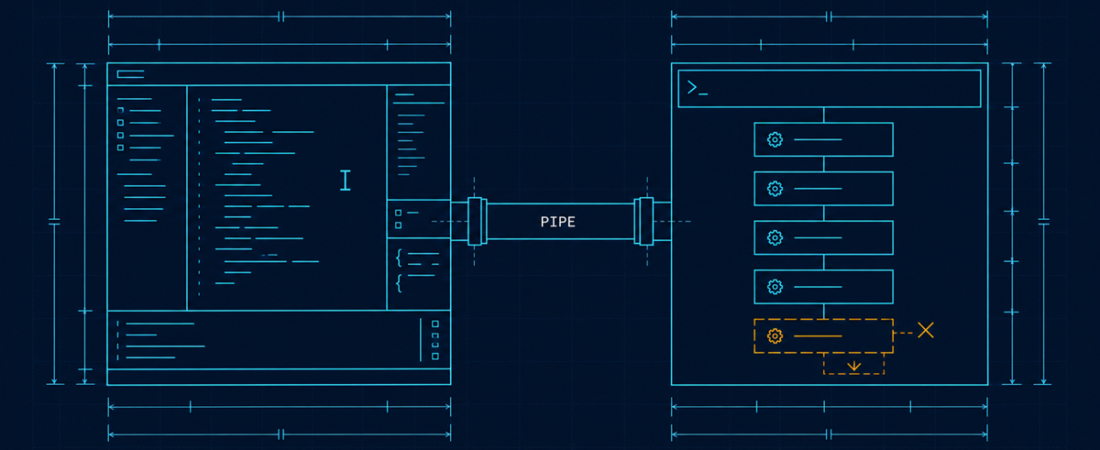
The comparison gets run as a feature checklist, both tools tick nearly everything, and the reader is no wiser. The interesting difference is architectural and it was decided before either product shipped a feature.
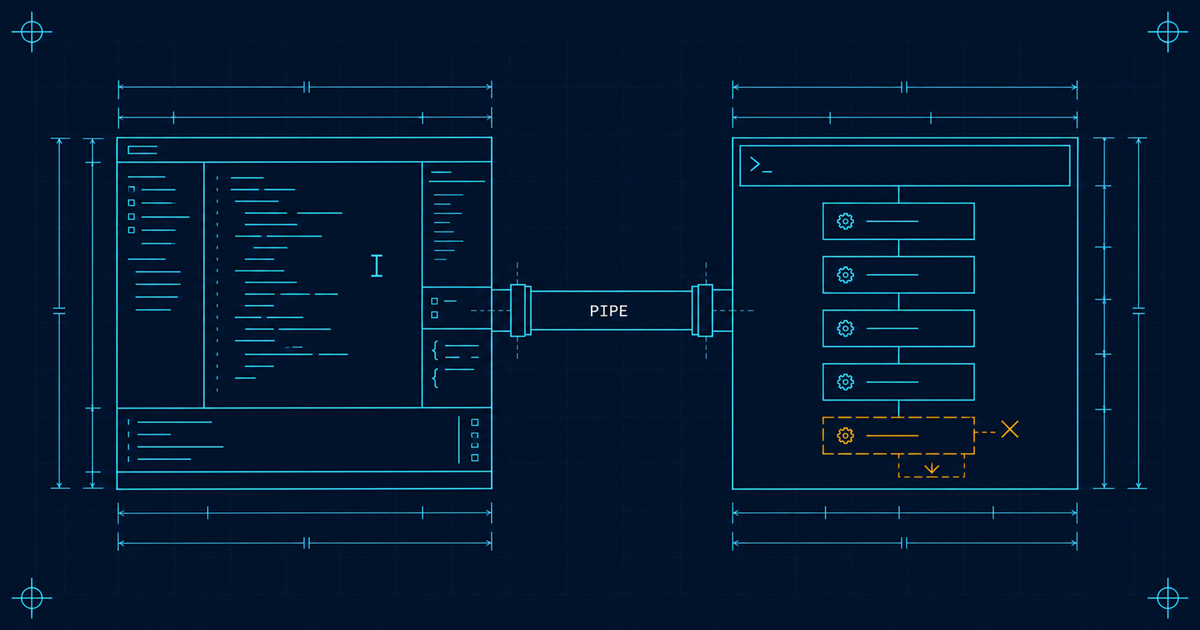
Short answer: Cursor bet that the editor is where the work happens, so the agent should have your open files, your cursor and your diff view. Claude Code bet that the repository is where the work happens, so the agent should have a shell and the whole project. Neither is better. If you want to see and steer every change, take the editor. If you want to hand over a task and check the result, take the terminal.
What each bet actually buys
The editor bet. The agent knows what you are looking at. Context is implicit: the open tab, the selection, the file you just edited. Every change arrives as a diff in the place you would review it anyway. The feedback loop between “the agent did something” and “I saw it” is essentially zero.
That is a real advantage and it is not just ergonomics. Reviewing a diff in context, next to the code around it, is meaningfully better than reading a summary of a diff. On UI work, on anything where you need to see the result, the editor wins on the axis that matters.
The terminal bet. The agent has the repository and a shell. Context is explicit: it reads what it decides to read, runs what it decides to run, and its natural unit of work is a task rather than an edit. It can run your test suite, your linter, your build, your deploy script, and read the output.
That is also a real advantage. An agent that can run the tests can close its own loop, which is the difference between “here is a change, please check it” and “the tests pass”. It also means the tool works where there is no editor: in CI, in a script, over SSH, in a container.
The difference that actually shows up in daily use
Not features. Where the interruption happens.
In an editor-centric tool, the natural rhythm is that you are present. You watch a change, accept or reject, continue. That is comfortable and it caps how much can go wrong. It also caps throughput at your attention, and it makes a forty-file refactor tiring in a way a five-file one is not.
In a terminal-centric tool, the natural rhythm is that you delegate and check. You describe a task, the agent works, you review the result. Higher throughput, and the failure mode is that four minutes of confident wrong work happened while you were reading something else.
Both tools can be operated in the other mode. Cursor has agent modes that run longer; Claude Code has permission settings that make it ask before everything. But each is swimming against its own current when you do, and the defaults are what you will actually live with.

Where Claude Code is straightforwardly ahead
Configuration depth. The settings model, hooks that fire on tool events, subagents for delegated work, and skills for packaged procedures add up to a tool you can shape around your team’s process rather than adapt to.
Headless and scripted use. Because it is a command-line program, it composes. You can run it in CI, call it from a script, or build on the SDK. An editor-bound agent cannot do this by construction.
Instruction files as a first-class mechanism. The memory system is the most developed version of this idea in any shipping tool, and instruction files are the single highest-leverage thing you can give an agent. More on that in writing instruction files an agent will follow.
Whole-repository work. Tasks that touch thirty files across six directories are what it is built for.
Where Cursor is straightforwardly ahead
Reviewing as you go. Changes appear as diffs in the file, in context. For anything where you want to read every line, this is simply a better interface, and no amount of terminal output substitutes.
Anything visual. Front-end work, styling, layout. You need to see the result, and the editor is next to the browser.
Onboarding. A developer who already lives in VS Code is productive in minutes. A developer who is not comfortable in a shell will be slower with a terminal agent for weeks, and that is a real cost that gets waved away in comparisons written by people who are comfortable in a shell.
Small, local, exploratory edits. “Change this function” is a worse fit for a task-oriented tool than for one that already knows which function you mean.

Which should I use?
Answer honestly and the choice falls out.
Do you want to read every diff? Yes, editor. No, terminal.
Is your work mostly visual? Yes, editor.
Do you want the agent to run your tests, your linter and your build? Yes, terminal. This is the single most useful capability an agent can have and it is where the editor bet gives ground.
Do you want to script it, run it in CI, or run it headless? Terminal, and it is not close.
Are you comfortable in a shell? If genuinely not, take the editor for now. Fighting the interface will cost you more than the capability difference gains.
Most people who use both settle into using the editor for local exploratory work and the terminal for anything that looks like a task. That is not a cop-out, it is the correct read of two tools with different centres of gravity, and it is the broader split covered in terminal agents vs IDE agents.
What the comparison usually gets wrong
Quoting model quality as a differentiator. Both run frontier models and the underlying model changes on a schedule neither you nor the product controls. Comparing tools on model quality is comparing them on a number that will be different next month.
Quoting benchmark scores. SWE-bench measures resolving well-specified issues in Python repositories with existing tests. Useful research, weak proxy for your work, and heavily optimised against once it becomes a marketing number.
Ignoring the permission model. This affects daily experience more than any capability. Too many prompts and you click approve without reading, which is worse than no prompts. Too few and you find out afterwards. It deserves a real look before you commit, and it is the subject of giving an agent access without giving it everything.
The honest summary
The gap between these two is smaller than the gap between using either one well and using it badly.
Written conventions, a test suite the agent can run, and a permission model you understand will change your results more than switching between them. Pick the one that matches where you actually sit, spend the saved energy on the repository, and revisit in six months when both have changed anyway.
If you are earlier in the decision, the best AI coding agents sorted by what they are for covers the other shapes, and what an AI coding agent actually is covers the mechanics both tools share.